How to tell if Cloudflare or your firewall is blocking AI crawlers
On this page
To tell whether Cloudflare or your firewall is blocking AI crawlers, check four layers in order: the robots.txt crawlers actually receive, your CDN’s AI crawler settings, your WAF and rate-limiting rules, and your origin server. Then match the status code each crawler gets (403, 402, 429, or a challenge) against edge and origin logs to find the rule that fired.
The hard cases are a setting that changed meaning under you, a rule that blocks a crawler you allowed elsewhere, and a block that never reaches your origin logs. This guide covers the full diagnostic flow, then whether you should block GPTBot and ClaudeBot at all.
Where can an AI crawler get blocked?
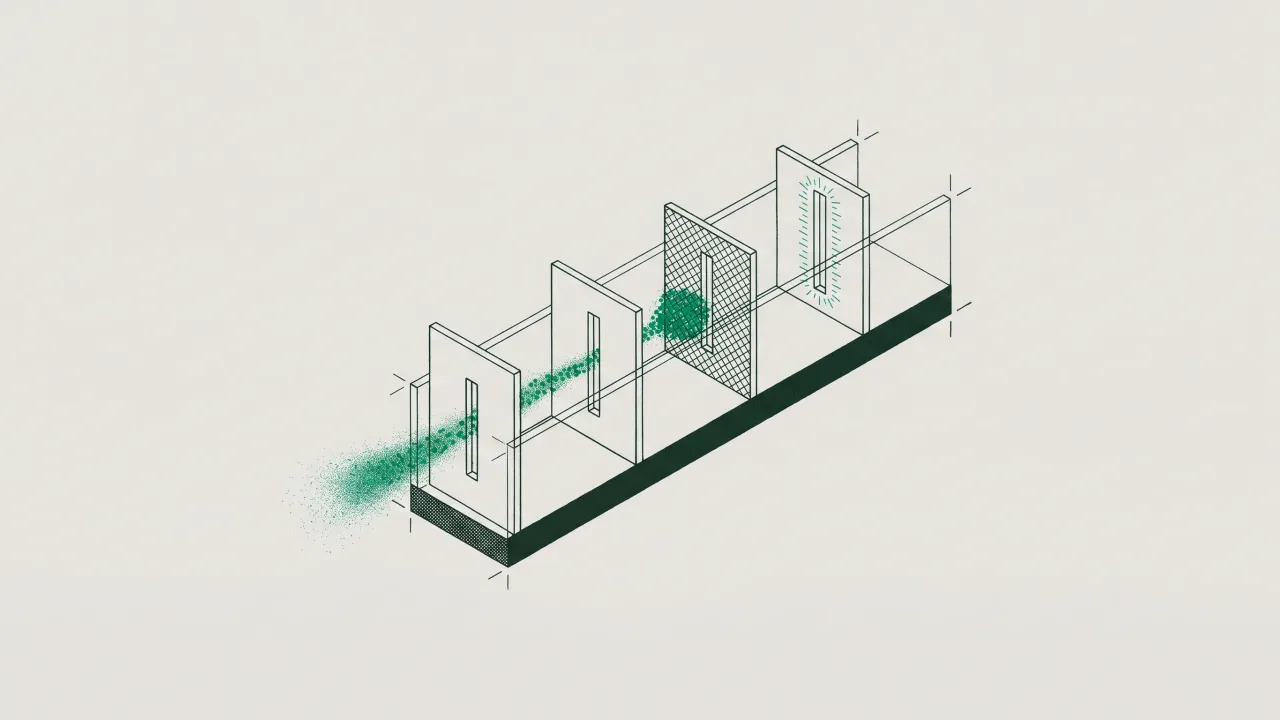
An AI crawler request passes through up to four layers, and each can stop it differently.
- robots.txt. A preference, not a lock. Compliant crawlers read it and stop requesting disallowed paths, so the symptom is silence rather than errors.
- CDN-level AI crawler settings. On Cloudflare that means the AI Crawler and Agent access policies (Search, Agent, and Training), per-crawler actions in AI Crawl Control, and pay per crawl. These can be on without anyone having written a rule.
- WAF, bot, and rate-limiting rules. Custom rules, managed rules, Bot Fight Mode, and rate limits. Usually written to stop scrapers, they catch AI crawlers as a side effect.
- The origin. A server firewall, a ModSecurity rule set, a security plugin, or your application returning 403 to unfamiliar user agents.
The first two changed most in 2025 and 2026. The last two are where the classic “200 in my browser, 403 for the bot” problem lives, which our guide to intermittent crawler blocking covers in depth, including how Google treats a robots.txt that returns errors.
What does each kind of block look like?
Start from the symptom you can see and work back to the place to check.
| Symptom | Likely cause | Where to check |
|---|---|---|
| Crawler requests robots.txt, then stops; no errors anywhere | Disallow in the robots.txt it was served (possibly Cloudflare-managed content you did not write) |
Fetch /robots.txt live; AI Crawl Control Directives tab; Search Console robots.txt report (Google only) |
| 403 with a Cloudflare page, no matching line in origin logs | Edge block: an access policy, an AI Crawl Control block, or a WAF custom rule | Security Events filtered by user agent; AI Crawl Control Crawlers tab |
HTML response with a cf-mitigated: challenge header |
Managed challenge, JS challenge, or Bot Fight Mode | Security Events, Service field |
| 402 Payment Required | Pay per crawl, or a block response set to 402 | AI Crawl Control settings |
| 429 Too Many Requests | Edge rate-limiting rule or an origin rate limiter | Security Events first, then origin logs |
| 403 that does appear in origin logs | Server firewall, WAF module, security plugin, or app logic | Origin access and error logs, WAF module audit log |
| Crawler set to Allow but still blocked | An earlier WAF rule, or Bot Fight Mode, which cannot be skipped | Security rules order; Security Events |
| Googlebot or Bingbot blocked after September 15, 2026 | Training policy set to Block, which now covers mixed-use crawlers | AI Crawler and Agent access policies |
Two cautions. The status code is configurable: AI Crawl Control lets paid plans choose 403 or 402 as the block response. And Cloudflare’s Crawlers tab counts “unsuccessful” requests that “may come from any rule or response error, not just the block action in AI Crawl Control,” so a high unsuccessful count tells you something failed, not what.
How do I find which rule is blocking AI crawlers?
Work through these in order. Each step rules out a layer.
- Read the robots.txt crawlers actually get. Fetch it live with
curl -s https://example.com/robots.txt. Cloudflare’s managed robots.txt prepends its own directives to your file, includingDisallow: /for GPTBot, ClaudeBot, CCBot, and others, so the served file can differ from the one you deployed. For Googlebot, the Search Console robots.txt report shows fetch status and a Versions history for the last 30 days, a quick way to see when the file changed (Google’s crawlers only). - Check the CDN’s AI crawler settings. In Cloudflare, go to Security, then Settings, filter by Bot traffic, and open AI Crawler and Agent access policies. Note what Search, Agent, and Training are set to. Then open AI Crawl Control and look at the Action column per crawler.
- Find the event. Open Security Events (Analytics, then Events) and filter by the crawler’s user agent. Each event names the service that acted, such as a custom rule, a rate-limiting rule, or Bot Fight Mode. On the Free plan you only get sampled logs, and retention is 31 days, so investigate soon after the drop.
- Compare edge and origin. If the edge shows the request and your origin log has no matching line, the block happened at the CDN. If the origin logged a 403 or 429, look at your server firewall, WAF module, or application. Our log file analysis guide shows how to filter logs by crawler.
- Reproduce, then read the headers. Send a request with the crawler’s user agent and inspect the response:
curl -sI -A "Mozilla/5.0 AppleWebKit/537.36 (KHTML, like Gecko); compatible; GPTBot/1.4; +https://openai.com/gptbot" https://example.com/ | grep -iE "^HTTP|cf-mitigated|server"A cf-mitigated: challenge header means a challenge page, which a crawler cannot solve. Anthropic, for example, says its bots will not attempt to bypass CAPTCHAs.
- Check rule order. Cloudflare says the AI Crawl Control rule is added at the end of your WAF custom rules, so an earlier rule can block a crawler you allowed, and skip, redirect, or transform rules can let a blocked one through. Bot Fight Mode is separate: you cannot bypass or skip it with WAF custom rules or Page Rules.
- Fix, then wait. OpenAI says it can take about 24 hours after a robots.txt update for its search systems to adjust. Confirm the fix in logs, not in a browser.
Why is a curl test with a spoofed user agent misleading?
A curl request with a GPTBot user agent tests how your rules treat that string from your IP address. It does not test how they treat the real GPTBot. Cloudflare decides whether a bot is Verified on more than the header: its Verified bots documentation requires deterministic identification through a Web Bot Auth signature, a published IP list with a stable user agent, or reverse DNS.
It cuts both ways. The access policies apply to “Verified bots with that behavior and matching unverified bots,” so a block on Training may block your curl test as well as the real crawler. But an allow can fail the other way: your spoofed request is unverified, so a bot-score or challenge rule may stop it while the real, verified crawler passes. And on the Free plan, AI Crawl Control identifies crawlers by user agent string, so its numbers can include impersonators. Treat curl as a hint about rule logic. The real answer comes from events and logs tied to verified crawler traffic, and our Googlebot verification guide shows the reverse DNS method behind it.
What changed in Cloudflare’s AI crawler defaults?
Cloudflare’s defaults have shifted several times since 2024, so a site’s behavior can depend on when it was onboarded and which settings were migrated. The short history:
- 2024 to mid-2025. Cloudflare’s one-click AI scraper block had been enabled by more than 1 million customers by July 2025. In the same post, the share of Cloudflare sites GPTBot accessed fell from 35.46% to 28.97%, “with an increase in customers blocking.”
- July 1, 2025. Cloudflare changed the default to block AI crawlers unless they pay creators. A year later it described this as blocking AI training crawlers by default for all new domains. By August 2025, over two and a half million websites had disallowed AI training through managed robots.txt or the managed block rule.
- July 1, 2026. Cloudflare split AI controls into Search, Agent, and Training, for all plans. Agent covers “chat fetch bots (e.g., ChatGPT-User).” It also stopped treating Verified as “default allowed”: the allowed category now decides access.
- September 15, 2026. Block and “Block on pages with ads” now apply to mixed-use crawlers, “including Applebot, Bingbot, and Googlebot, so either setting impacts search as well as training.” A new Disallow AI Training setting keeps those crawlers for search and blocks training-only crawlers from OpenAI, Anthropic, Amazon, and Meta. “Block AI Bots” and managed robots.txt are being deprecated in favor of the new controls and Bot Preference Sync.
The defaults for new domains depend on the source and the date. The July 2026 post said Training and Agent would be blocked on ad pages for new domains from September 15. The current docs, updated November 2, 2026, say new domains start with Allow for all three, and the September post describes onboarding presets that restrict Training and Agent on ad-supported sites. Do not assume. Open the settings page and read what your zone is set to.
One more trap: with Bot Preference Sync on, the Training Disallow option is not just a robots.txt line. Cloudflare says it “also blocks AI training crawlers at Cloudflare’s edge,” excluding mixed-use crawlers.
Is a robots.txt disallow the same as a firewall block?
No. A robots.txt disallow asks; a firewall block enforces. Cloudflare’s own framing is that a robots.txt directive “cannot identify who is crawling, determine why they are crawling, or stop a crawler that ignores it.” A 2025 Duke University study of one institution’s logs, covering 130 self-declared bots over 40 days, found that compliance fell as directives got stricter and that certain categories, “including AI search crawlers, rarely check robots.txt at all.”
The two also interact. Anthropic warns that blocking its IP addresses may not work as a reliable opt-out “as doing so impedes our ability to read your robots.txt file.” And a network block can push a determined operator to change disguise: in August 2025 Cloudflare reported that when Perplexity’s declared crawler was blocked, it saw requests from a generic Chrome user agent at 3 to 6 million requests a day, and de-listed Perplexity as a verified bot. In the same test, ChatGPT-User fetched robots.txt and stopped when disallowed.
Most sites still do not name AI crawlers in robots.txt at all. The HTTP Archive’s 2025 Web Almanac found gptbot named in 4.5% of desktop robots.txt files, up from 2.9% in 2024. So if an AI crawler is being refused on your site, an edge or firewall rule is often a more likely suspect than your robots.txt.
Should you block AI crawlers like GPTBot and ClaudeBot?
It depends on which job the crawler does. Blocking a training crawler is a data-use decision. Blocking a search or user-fetch crawler is a visibility decision, and it removes you from that assistant’s answers.
| Crawler | Job | What blocking costs you |
|---|---|---|
| GPTBot, ClaudeBot, CCBot | Training | Content left out of future training; no direct effect on live answers |
| OAI-SearchBot, Claude-SearchBot, PerplexityBot | Search index | OpenAI says opted-out sites “will not be shown in ChatGPT search answers” |
| ChatGPT-User, Claude-User, Perplexity-User | Fetch for a user’s question | Anthropic says blocking Claude-User may reduce your visibility for user-directed search |
| Googlebot, Bingbot, Applebot | Mixed search and training | Search traffic. Use Google-Extended, Applebot-Extended, or Disallow AI Training instead |
Site owners mostly draw the same line. Cloudflare reported in September 2026 that “less than 1% of Cloudflare sites choose to block Search bots,” while 17% enable some mechanism to block training. Training is also a large share of the load: Cloudflare said 52% of crawler requests were for AI training as of June 2026, up from 22% in spring 2025.
Robots.txt is not a reliable lever for user-fetch bots. OpenAI says of ChatGPT-User that “robots.txt rules may not apply,” and Perplexity says Perplexity-User “generally ignores robots.txt rules.” If you must control them, use IP-based edge rules against the operators’ published ranges, or verify the agent first and decide per request. OpenAI and Perplexity both recommend allowing requests from their search bots’ published IP ranges, not only allowing them in robots.txt. For the per-bot detail, see what GPTBot is and how it differs from OpenAI’s other bots, and for the visibility side, how to optimize your site for AI search.
How do you keep a block from coming back?
Blocks come back with the next WAF rule, plugin update, or vendor default change, and none of them trip an uptime monitor. The durable fix is to watch status codes per verified crawler over time and compare them with what humans get. Lume does this server-side: its crawler access view splits status codes by requester type, flags URLs that answer humans and crawlers differently, and shows the day GPTBot or Googlebot flips from 200s to 403s as a step in the trend. It verifies crawler identity first, so a 403 to a fake GPTBot is not counted as a 403 to the real one. Lume measures; the blocking decisions stay in your CDN, WAF, and robots.txt.
Frequently asked questions
How do I know if Cloudflare is blocking GPTBot?
Open Security, then Settings, and check the Training policy under AI Crawler and Agent access policies, then check GPTBot’s action in AI Crawl Control. Next, filter Security Events by the GPTBot user agent to see which service acted. If there are no events and no origin requests, check robots.txt and whether GPTBot is reaching you at all.
Why is an AI crawler still blocked after I set it to Allow?
Because another rule acted first. Cloudflare places the AI Crawl Control rule at the end of your WAF custom rules, so an earlier block or challenge rule still applies, and Cloudflare notes those upstream rules may not be visible in AI Crawl Control analytics. Bot Fight Mode cannot be skipped with WAF custom rules, and your origin firewall may also be refusing the request.
Does blocking AI training crawlers on Cloudflare affect Google Search?
It can. Since September 15, 2026, setting Training to Block, or Block on pages with ads, also blocks mixed-use crawlers, including Googlebot, Bingbot, and Applebot. To opt out of training while staying in search, choose Disallow AI Training, or disallow Google-Extended and Applebot-Extended in robots.txt.
What does a 402 response to an AI crawler mean?
It usually means pay per crawl: Cloudflare returns 402 Payment Required with pricing to crawlers that do not send payment intent. It can also be a custom block response, since paid plans can choose 402 instead of 403. Note that a WAF or Bot Management block overrides pay per crawl.
Can I see AI crawlers in Google Search Console?
No. Search Console reports on Google’s own crawlers. Its robots.txt report shows what Googlebot fetched, which helps when a managed robots.txt changed your file, but GPTBot, ClaudeBot, and other AI crawlers only show up in your CDN analytics and server logs.
A deliberate block and an accidental one look the same from outside. Check the layers in order, trust logs over curl, and decide per crawler job, not per company.